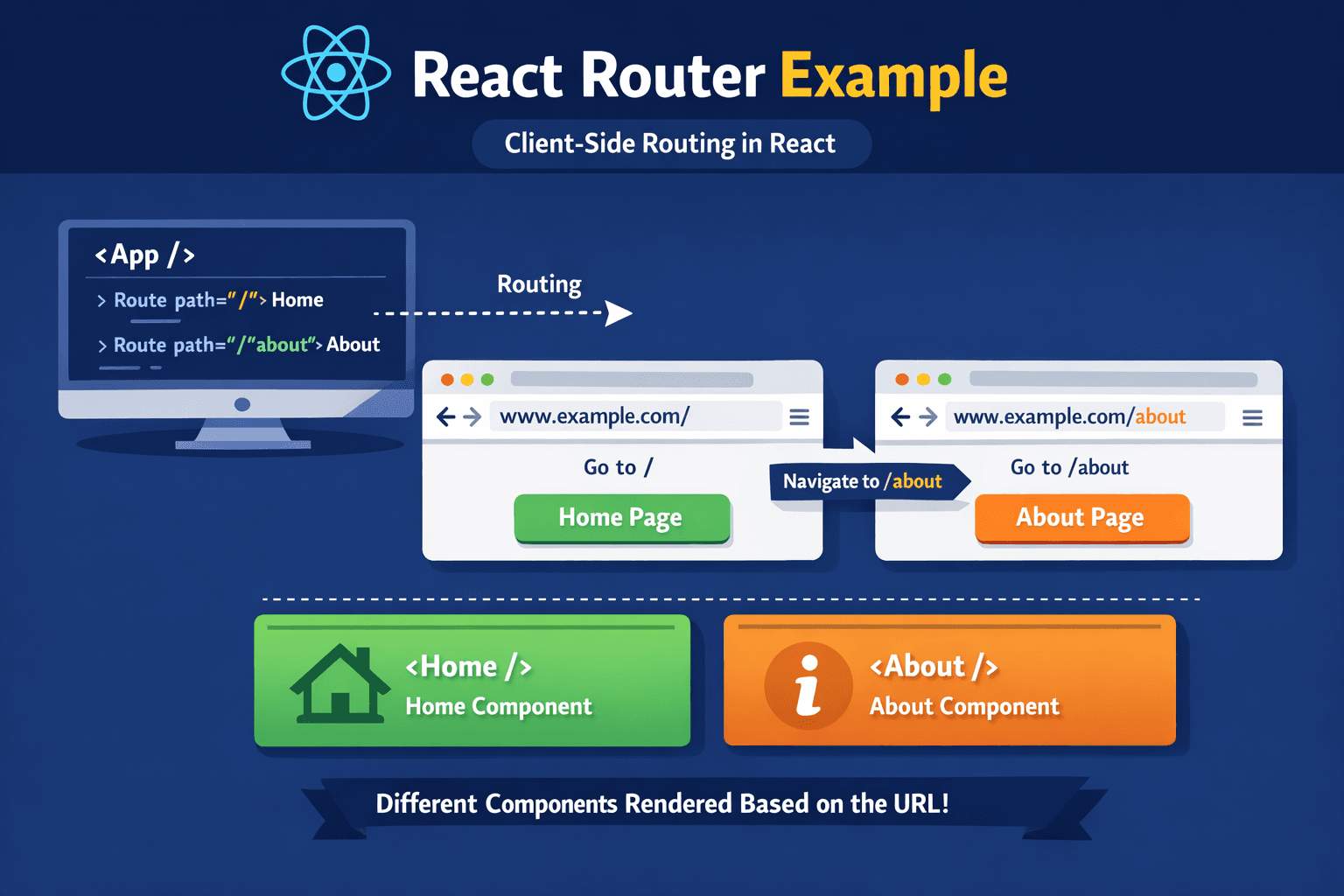
React Router with a Detailed Example
React Router is the most popular routing library for React applications. It enables navigation between different components without reloading the page, making your application feel fast and smooth like a native app.
What Is Client-Side Routing?
Client-side routing means handling navigation inside the browser using JavaScript instead of requesting a new page from the server every time. React Router updates the URL and renders components dynamically without refreshing the page.
Why Use React Router?
- Creates single-page applications (SPA)
- Improves performance and user experience
- Keeps UI synchronized with the browser URL
- Makes navigation clean and organized
Installing React Router
To use React Router in your project, install it using npm:
npm install react-router-dom
Core Components of React Router
- BrowserRouter – Wraps the entire app and enables routing
- Routes – A container for all routes
- Route – Defines path and component mapping
- Link – Used for navigation without page reload
Basic Routing Example
Below is a simple routing setup with Home and About pages:
import { BrowserRouter, Routes, Route, Link } from 'react-router-dom';\nimport Home from './Home';\nimport About from './About';\n\nfunction App() {\n return (\n \n
\n Home | About\n
\n \n } />\n } />\n \n \n );\n}\n\nexport default App;
Creating Page Components
Create simple components for each route:
function Home() {\n return
Welcome to the Home Page
;\n}\n\nexport default Home;
function About() {\n return
About This Application
;\n}\n\nexport default About;
How Navigation Works
When the user clicks a Link component, React Router updates the URL and renders the corresponding component instantly without refreshing the page.
Conclusion
React Router is essential for building scalable React applications. By mastering routing concepts, you can create well-structured and user-friendly single-page applications.